What is Gradient Network? (60-second tour)
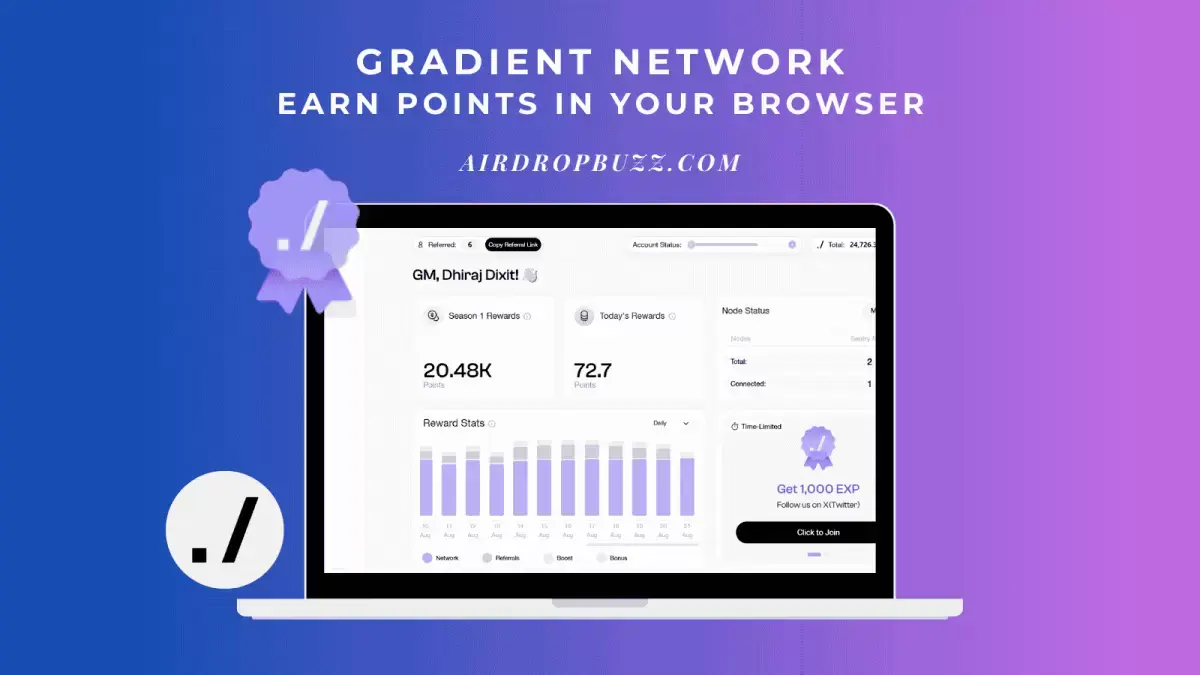
Gradient Network is a decentralized AI compute network that turns everyday devices into an “edge cloud.” Users run a lightweight Sentry Node in the browser to contribute bandwidth/compute and earn points via seasons, referrals, and in-app tasks. No crypto purchase is required. Learn how Gradient works.
- What you earn: non-transferable points tracked per account/season. Points are not tokens. Season details.
- How you earn: turn on the Sentry Node, complete taps/quests, and invite friends. Rewards overview.
- Who it’s for: beginners exploring DePIN + AI with a low-effort, browser-based setup.
Why people care?
- Simple setup: runs in Chrome/Edge; no CLI or server required. Sentry Node basics.
- Seasonal progression: points accrue by season with changing rules—keeps participation fresh. Current season.
- Social growth: a perpetual referral bonus rewards you for network growth over time. Referral bonus.
How Gradient earns you points?
1) Sentry Node uptime & tasks
The browser-based node can earn points for being online and for simple “tap” actions/quests. Uptime incentives may vary by season. Reward types.
2) Achievements & boosts
Complete milestones (e.g., session streaks) and enable account boosts for multipliers where available. Account boosts.
3) Referrals
Invite friends; Gradient shares a perpetual percent of their future eligible earnings with you (terms apply). Referral policy.
Beginner setup: start earning in minutes
- Create your account: sign up at Gradient (ref link) and verify email.
- Log in & open the dashboard: you’ll see your points, tasks, and referral code.
- Install/enable the Sentry Node: follow the in-app prompt to add the browser extension and allow required permissions. Sentry Node guide
- Pin & run: pin the extension, toggle it on, and keep the browser running when convenient.
- Do daily taps/quests: check the “Tap” or tasks panel for quick, repeatable actions. Tap rewards
- Invite friends: share your code for ongoing referral points. Referral bonus
Tip: Want a crypto primer before you dive in? Read our beginner guide to wallets, security, and airdrops.
Time & cost
- Time: ~5–10 minutes to set up, seconds per day for taps.
- Cost: free to join; browser must be open for node uptime. Data/energy usage applies.
Risks & safety (read this)
- Points ≠ tokens: points are an internal score; they are not crypto, not transferable, and not guaranteed to convert to value.
- Permissions: browser extensions require access; install only from official links. Review what you enable.
- No seed phrases: Gradient will never ask for your wallet seed. Beware of DMs and look-alike domains.
- General reminder: this is not financial advice; participation is at your discretion.
FAQs
Is there a Gradient token?
Gradient publicly tracks points by season. Tokens, if any, are not promised. Always treat points as non-cash and non-transferable. Season policy.
Can I run it on mobile?
The Sentry Node is a browser extension designed for desktop Chromium-based browsers; check docs for platform updates. Supported platforms.
How do referrals work?
Use your unique code; you may earn a perpetual share of referred users’ eligible earnings, per current rules. Referral bonus.
Where do I see my progress?
All points, tasks, achievements, and referrals are shown in the Gradient app dashboard after you sign in.
Official resources
Quick start
Sign up to Gradient here, enable the Sentry Node, and start collecting points in the current season.