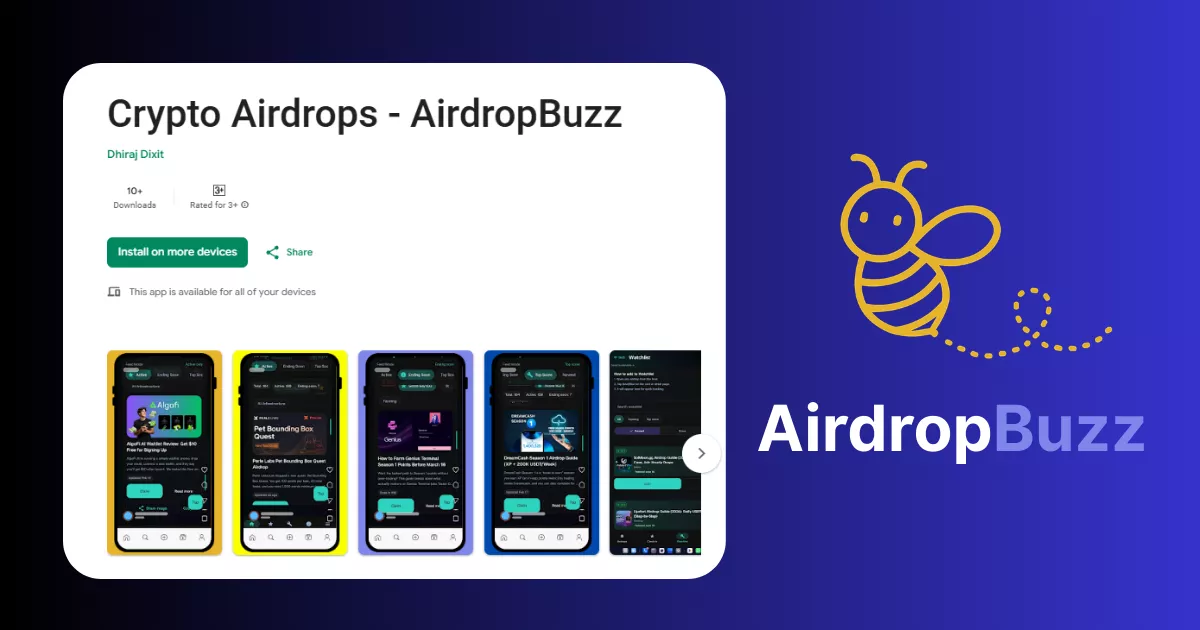
AirdropBuzz App: Android Airdrop Tracker + Daily Check-In Routine
Eligibility checklist, task flow, and safe-link verification for this campaign.
Use this with the risk signals below before connecting a wallet.
Airdrop facts
- Status
- Active watch
- Chain
- Ethereum
- Cost
- No Gas
- Risk Level
- Medium
- Last Verified
- Apr 29, 2026
- Published Date
- Mar 11, 2026
- Official Links Reviewed
- Yes
- Editor Name
- Dhiraj Dixit
Listen safely with built-in read aloud
Use your browser or device's native read-aloud feature. Do not install browser extensions just to read a crypto guide.
Chrome/Edge: open the browser menu and choose Read aloud if available. macOS/iOS: use Speak Selection. Windows: use Narrator.
Crypto airdrops move fast. If you blink, you miss the “easy” tasks—like daily check-ins (opening an app/site once a day to keep a streak). The AirdropBuzz app brings the AirdropBuzz tracker to Android, so you can scan latest drops, spot what’s trending, and save what you want to do later. Heads up: rollout has been happening via Google Play testing, so some users may need to opt in before the listing opens.
This airdrop guide was reviewed by the AirdropBuzz research team, who have completed dozens of Solana and DeFi airdrops.

I'm Dhiraj Dixit, Application Engineer and founder of AirdropBuzz, focused on crypto airdrop research, AI/ML-informed product thinking, project verification, risk-first scoring, and practical Web3 guides.
Airdrop quick facts
What does this score mean? See the scoring methodology.
Step-by-Step Carousel
Swipe through steps quickly: Step 1, Step 2, Step 3 and more.
Open: https://play.google.com/store/apps/details?id=com.airdropbuzz.app
Open: https://play.google.com/apps/testing/com.airdropbuzz.app
Tap Become a tester, then go back and install.
Keep it simple. Don’t connect a main wallet on day one if you don’t need to.
Save 3–5 airdrops you actually plan to finish. Don’t hoard 50.
Set one phone reminder. Knock out your check-ins in one batch.
A fresh wallet is a new wallet you keep separate from your main funds. It limits damage if you click something bad.
| Our Verdict | Who It’s For | Who Should Skip | Best Use |
|---|---|---|---|
| Worth installing if you track airdrops weekly and want a faster mobile routine. | Busy airdrop hunters who hate juggling 20 tabs. | Anyone expecting “guaranteed wins” or instant payouts. | Use it to find new drops, save picks, and stay on top of daily check-ins. |
| What We Tested | What “Good” Looks Like | Score |
|---|---|---|
| Install + opt-in flow | Fast install, no confusion | 7/10 |
| Speed on normal phones | Feeds load fast, low lag | 7/10 |
| Clarity | Plain words, no crypto word soup | 8/10 |
| “Would we use it daily?” | Yes, for quick scanning + saving | 7/10 |
What is the AirdropBuzz App?
The AirdropBuzz App is an Android app that helps you discover and track crypto airdrops in a simple, mobile-first way. Think of it like having the AirdropBuzz tracker in your pocket, so you can check new drops, see what’s trending, and move through research faster without juggling browser tabs.
Founder verification: AirdropBuzz is run by Dhiraj Dixit, which is publicly stated on the official About page (and matches the project’s official links).
Quick slang translation: an airdrop is when a project gives out tokens to users, usually for early activity. It’s not “free money” every time. Some are legit, some are bait. That’s why we always push a safety-first routine and official links only.
Our Experience Joining AirdropBuzz App
We followed the official Google Play flow shared by the AirdropBuzz team: opt in (if required), install, open the app, and do a quick “daily routine” test. The main vibe is simple: scan airdrops, tap into a listing, and save what you want to finish later. On mobile, that’s the whole point—speed and fewer missed tasks.
Time vs Reward: Is Daily Check-In Worth It?
Let’s be real: daily check-ins only “win big” if the airdrop you’re farming actually pays out—and that part is never guaranteed. But check-ins are still one of the best moves in airdrops because they’re low effort and they stack consistency.
- Time cost: usually 10–60 seconds per day per campaign.
- Best payoff: when a project rewards streaks (longer streak = better odds).
- How the app helps: you can spot which campaigns have check-ins and build a simple daily habit around them.
Our rule: if a “daily check-in” takes more than 1 minute, or asks you to do sketchy wallet actions, skip it. You’re not trying to grind forever—you’re trying to collect the easy points and keep risk low.
Risks & Things to Watch
- Fake apps and fake links: only install AirdropBuzz from Google Play and only click official project links.
- Seed phrase scams: your seed phrase is your wallet’s master password. Never share it. No real airdrop needs it.
- Allowance traps: an allowance is “letting an app spend your tokens.” Don’t approve random contracts for “check-ins.”
- Beta quirks: if the app is still in testing for your region, expect small bugs and changes.
Step-by-Step Guide: How to Join AirdropBuzz
Get the AirdropBuzz Android App
Want a faster daily airdrop routine? Install from Google Play, then use it to track new drops and stay on top of daily check-ins.
Install AirdropBuzz on Google Play
Disclosure: This button links to the official Google Play listing. No referral code is required. Always verify links before installing.
FAQ
Is the AirdropBuzz app live on Android?
It’s available on Google Play for Android, but rollout can vary. If the listing doesn’t open for you, use the Google Play testing opt-in page and then install.
Do I need a crypto wallet to use the AirdropBuzz app?
No. The app is mainly for discovering and tracking airdrops. Some airdrop tasks outside the app may require a wallet later, so use a fresh wallet for risky campaigns.
Does the daily check-in guarantee I’ll “win big”?
No. Daily check-ins can improve your odds in points-style campaigns, but rewards, snapshots, and payouts are always TBA unless a project confirms them. DYOR.
What’s the safest way to farm airdrops from my phone?
Stick to official links, never share your seed phrase, avoid random token approvals, and keep your main wallet separate from “quest” wallets.
Who is the founder of AirdropBuzz?
AirdropBuzz is run by Dhiraj Dixit, listed on the official About page.
Direct link to official project page
Get curated airdrop updates
Weekly AirdropBuzz highlights, safety notes, and top picks-no spam.
Explore Airdrop Lists
Community Discussion & Rating
Leave a Comment & Rate
No comments yet. Be the first to share your thoughts!