RefundYourSOL Review (2026): Claim Hidden SOL From Empty Token Accounts
Eligibility checklist, task flow, and safe-link verification for this campaign.
Install "Listen to Article" to read this page out loud in Chrome.
Prefer not to install? Use your browser's built-in Read Aloud if available.
Here’s the deal: on Solana, every token you’ve ever bought can leave behind a tiny “rent” deposit in a token account. Even after you sell, that account can stay open and keep your SOL locked up. RefundYourSOL is a simple tool that finds those empty accounts and closes them, so the locked SOL goes back to you (minus a small service fee). The AirdropBuzz Team reviewed the flow, the risks, and the fastest way to do it safely.
This airdrop guide was reviewed by the AirdropBuzz research team, who have completed dozens of Solana and DeFi airdrops.

I'm Dhiraj Dixit, founder of AirdropBuzz. I personally research and complete airdrops before publishing these guides.
Airdrop quick facts
What does this score mean? See the scoring methodology.
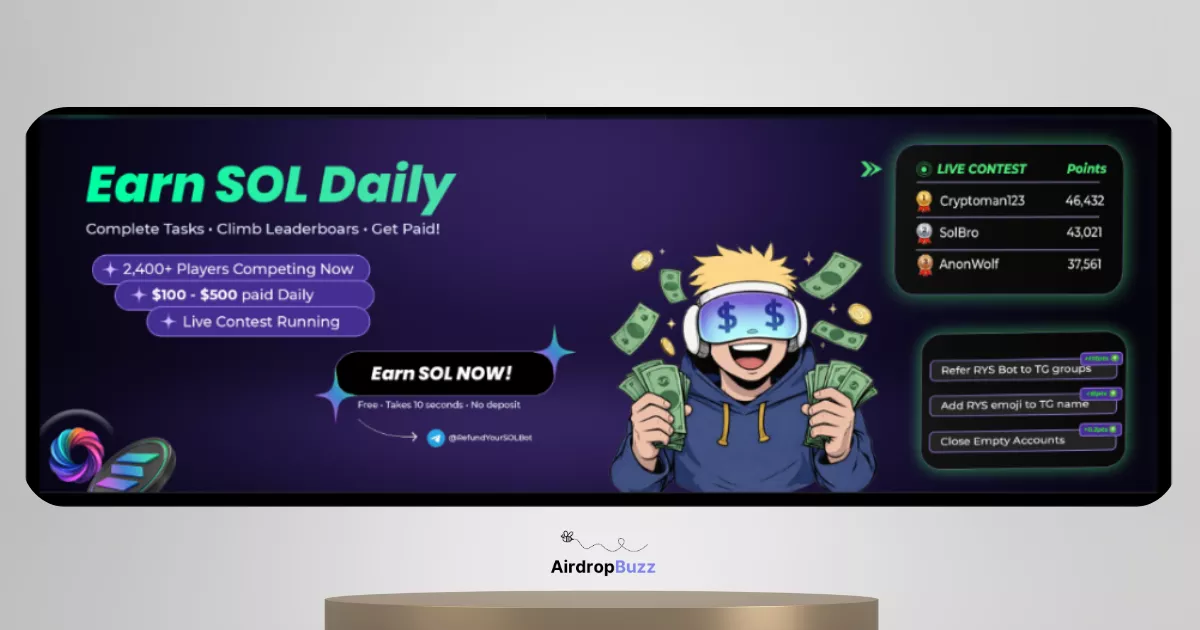
Step-by-Step Carousel
Swipe through steps quickly: Step 1, Step 2, Step 3 and more.
| Time Required | Cost | Risk Level | Our Verdict |
|---|---|---|---|
| 1–3 minutes | Low (fee taken from recovered SOL) | Medium (wallet-connection + “burn/close” actions) | Worth doing if you verify the domain, use a dedicated wallet, and review the transaction before signing. |
| UX Score (/10) | Earning Potential | Reward Certainty |
|---|---|---|
| 8.5/10 | Medium (depends on how many empty accounts you have) | High (you either have refundable accounts or you don’t) |
What is RefundYourSOL?
RefundYourSOL is a Solana rent-recovery dApp that closes your empty token accounts and returns the locked SOL back to your wallet. On Solana, token accounts often require a small “rent” deposit (think of it like a refundable security deposit). If you stop using a token and the account becomes empty, that deposit can sit there doing nothing. RefundYourSOL scans your wallet, finds empty token accounts, and helps you close them so the rent deposit is refunded to you.
RefundYourSOL also promotes extra utilities (like “safe burns,” where unwanted tokens can be removed). Just remember: anything involving burning or moving tokens is more sensitive than a simple refund. Always read what you’re signing.
Founder verification: The development team has not publicly disclosed their identities.
Our Experience Joining RefundYourSOL
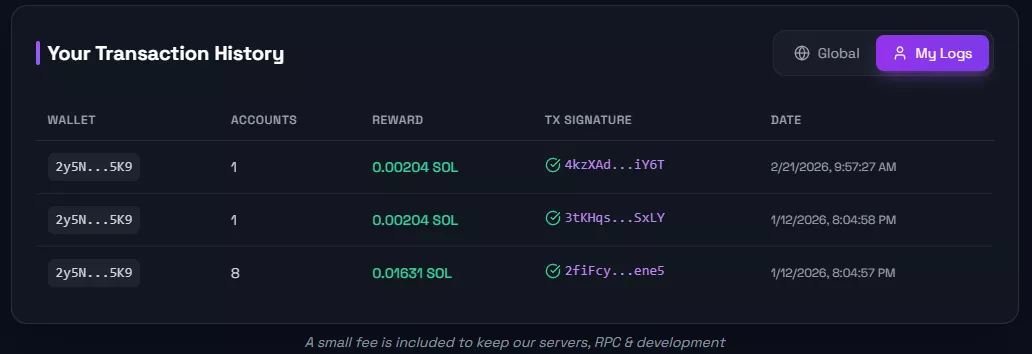
We approached this like a “wallet safety” test, not like a hype airdrop. The flow is simple: connect, scan, claim. The main friction is not speed—it’s being careful with what you sign.
- Scan speed: usually a few seconds for most wallets (bigger wallets can take longer).
- Clicks: connect → scan → claim/close.
- Wallet popups: expect at least 1 transaction approval; sometimes more if you have a lot of accounts.
Our Experience Joining RefundYourSOL
Time vs Reward: Is the SOL Refund Worth It?
If your wallet has zero empty token accounts, your refund is $0. If you’ve traded a lot (especially meme coins), you can have dozens or hundreds of empty accounts.
Quick mental math (rough example):
- Many empty token accounts hold around ~0.002 SOL each as rent.
- 50 empty accounts ≈ ~0.1 SOL (before fees).
- 200 empty accounts ≈ ~0.4 SOL (before fees).
Our grind test verdict: This is one of the rare “realistic” plays because it’s not a lottery. It’s either there or it isn’t. Just don’t treat it as “free money” if the site asks you to burn/move assets you don’t understand. DYOR.
Risks & Things to Watch
- Phishing copies: Only use the official domain. Don’t connect from random shortened links.
- Transaction preview matters: Your wallet will show what you’re approving. If you see token transfers you don’t expect, reject.
- “Burn” features: Burning means removing tokens from your wallet (often permanently). If a “safe burn” mode routes tokens somewhere recoverable, that adds trust risk (you’re relying on support to recover mistakes).
- Closing accounts is usually safe, but… if you later receive that token again, Solana may recreate the token account and you’ll pay rent again. Not a huge deal, just know what’s happening.
- Use a dedicated wallet: Airdrop wallet = your “test wallet.” Keep your main bag separate.
- Never share seed phrases: No legit refund tool needs your seed phrase. Ever.
Step-by-Step Guide: How to Join RefundYourSOL
Claim your hidden SOL refund
If you’ve traded on Solana even a little, it’s worth checking once. The scan is fast, and the result is clear: refundable accounts or none.
Open RefundYourSOL (AirdropBuzz Link)
Referral disclosure: If you use our link, we may earn a referral fee or rewards at no extra cost to you. DYOR and always verify the domain before connecting your wallet.
FAQ: RefundYourSOL
Is RefundYourSOL an airdrop?
Not in the usual sense. This is mainly a rent refund tool: it helps you reclaim SOL locked inside empty Solana token accounts. You only get something back if your wallet actually has refundable accounts.
What does “rent” mean on Solana?
Rent is like a small refundable deposit required to keep certain accounts (like token accounts) alive on Solana. If the account becomes empty and you close it, that deposit can return to you.
How much SOL can I recover?
It depends on how many empty token accounts you have. Some wallets have none. Heavy traders can have many. Always check the scan results first. Any USD number you see online is just a rough estimate because SOL price changes.
Is it safe to click “Claim All”?
It can be safe if the transaction only closes empty accounts and doesn’t include unexpected token transfers. The safest move: read the wallet transaction preview before approving. If anything looks weird, cancel.
Do I need to buy or hold $RYS to claim refunds?
Usually, no. The refund is about closing accounts and reclaiming rent. If the project promotes token-holder bonuses or extra features, treat those as optional and verify details inside the official app before doing anything paid.
Direct link to official project page
Get curated airdrop updates
Weekly AirdropBuzz highlights, safety notes, and top picks-no spam.
Explore Airdrop Lists
Community Discussion & Rating
Leave a Comment & Rate
No comments yet. Be the first to share your thoughts!