On this page Jump straight to the sections you need Built for mobile reading and quick skimming.
Teneo Protocol is building a decentralised network of AI agents that transform public web data into structured signals. Running on the peaq network, Teneo rewards users who operate community nodes, contribute signals, and engage with the ecosystem.
If you want to join the testnet, earn Teneo Points, and be part of a user-owned AI future, this step-by-step guide will help you get started.
Prerequisites
Before you begin, make sure you have:
-
A Chromium-based browser (Chrome, Brave, or Edge) updated to the latest version.
-
A stable internet connection.
-
An active email address (Gmail recommended).
-
Social media accounts on X (Twitter), Discord, and Telegram.
-
A MetaMask wallet installed in your browser for linking accounts and paying gas fees.
-
(Optional) A separate email for testnet activities to stay organised.
1. Create Your Teneo Account
Start by registering on the Teneo Dashboard. Use this referral link so the referral code EEE83 is automatically applied:
Steps:
-
Click “Create an account” and enter your email + password.
-
Ensure the referral code
EEE83appears. If not, type it manually. -
Accept the Terms and click Create an account.
-
Verify your email and log in to the dashboard.

2. Create a Smart Account (Machine ID)
Your Machine ID is a unique on-chain identifier linked to your node.
-
On the dashboard, click Create Smart Account.
-
Link your MetaMask wallet.
-
After linking, mint the Machine ID.
-
The ID becomes active once your agent collects at least 100 heartbeats.

3. Connect Social Media Accounts
Connecting accounts increases rewards and validates your agent.
-
Twitter (X): Authorise Teneo, confirm wallet match, and captcha.
-
Discord: Connect wallet and ensure you have the Friend of TENEO role.
-
Telegram: Join the Teneo channel and confirm.
4. Mint a Silver Ticket
The Silver Ticket confirms your registration and unlocks testnet participation.
Steps:
-
Add the peaq network to MetaMask.
-
Network Name:
peaq -
RPC URL:
https://peaq-rpc.publicnode.com/ -
Chain ID:
3338 -
Symbol:
PEAQ -
Block Explorer:
https://peaq.subscan.io/
-
-
Switch to peaq in MetaMask.
-
On the dashboard, click Mint Silver Ticket.
-
Approve in MetaMask (requires a small amount of PEAQ tokens).
-
Click Get Whitelisted.
5. Golden Ticket: Unlocking Full Access
The Golden Ticket is an NFT that grants full AI Agent Testnet access.
How to get one:
-
Invites from existing testers – Ambassadors, Moderators, and Early Birds receive Golden Tickets after processing 10k signals.
-
Daily giveaways on social media.
-
Contribution – Once you process 10k signals, you can mint and share 3 Golden Tickets.
6. Install the Teneo Community Node Extension
-
Download the extension package.
-
Extract and load it into your browser via Developer Mode.
-
Pin the extension for easy access.
7. Run the Teneo Agent
The extension transforms your browser into a data-collecting AI agent.
Modes available:
-
Observer Mode: Manual scrolling; logs data locally.
-
Autonomous Mode: Automatic browsing; sends structured signals to the network.
Contribution options:
-
Local Only: Keep data private.
-
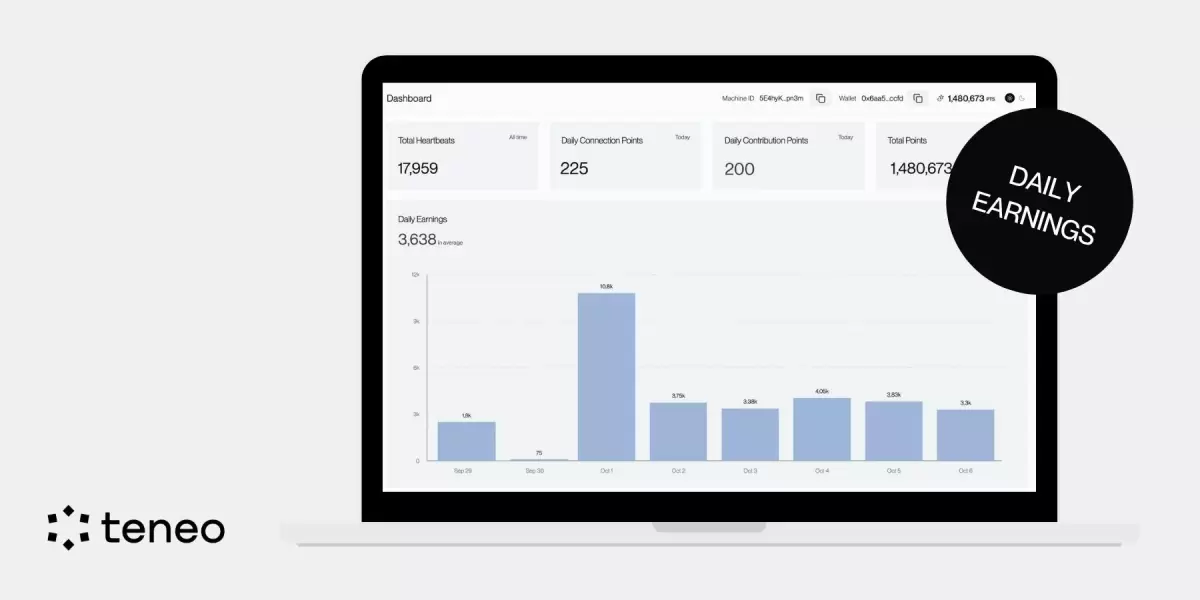
Contribute & Earn: Share data to earn Teneo Points (up to 16,800/day).
8. Feedback & Community
Teneo encourages testers to:
-
Submit feedback via the Community Feedback channel.
-
Use FAQs on the dashboard.
-
Engage in challenges, quizzes, and ambassador activities.
9. Recent Updates (2025 Highlights)
-
Machine ID rewards tripled (25 → 75 points per heartbeat).
-
Teneo Academy expanded with new decentralisation modules.
-
Video Challenge winners announced with Teneo Points + bonuses.
-
Ambassador Programme launched to support global community efforts.
-
Network scale: Over 1.5M active Machine IDs live.
Conclusion
Joining the Teneo Protocol Testnet is simple:
-
Create your account and Machine ID.
-
Connect socials and mint your Silver Ticket.
-
Strive to earn a Golden Ticket for full agent access.
-
Install the extension and contribute signals to earn rewards.
? Join with Referral Code EEE83
With higher rewards, a growing academy, and an expanding ambassador network, now is the best time to get involved. Become part of the future of user-owned AI today.
Teneo Protocol — Official Links
- Official Website: teneo-protocol.ai
- Install Community Node: Chrome Web Store
- ?: @teneo_protocol
- LinkedIn: Teneo Protocol
- Telegram: Official Announcements
- YouTube: @teneoprotocol
- GitBook: Teneo Docs