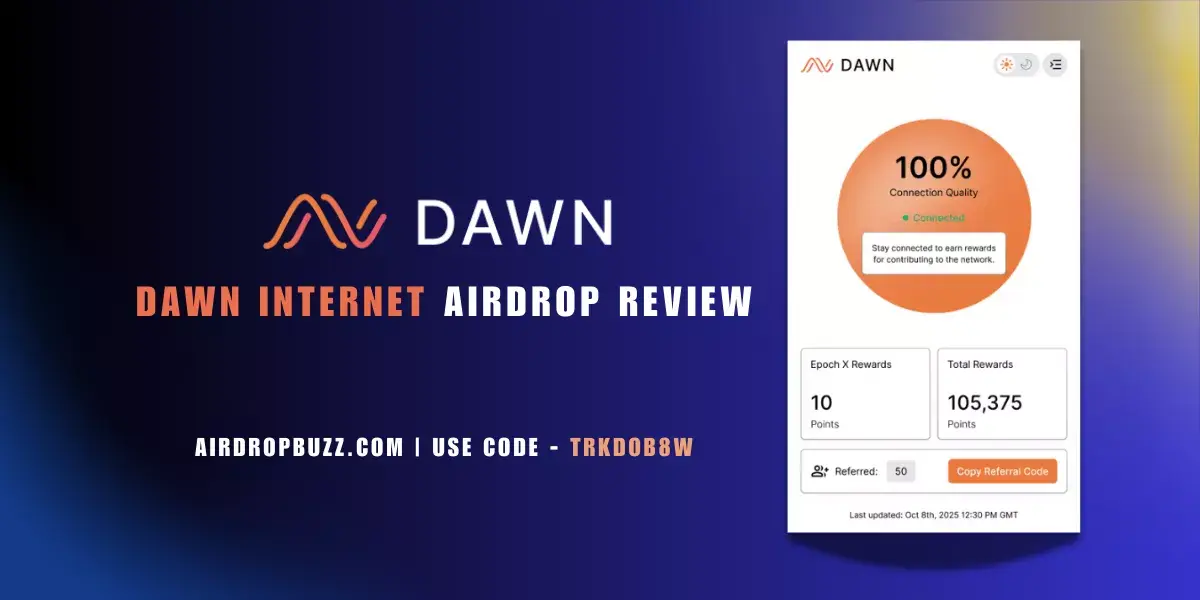
Dawn Internet Airdrop Review – Earn DAWN Points With Browser Extension & Referrals (Code: trkdob8w)
Eligibility checklist, task flow, and safe-link verification for this campaign.
Install "Listen to Article" to read this page out loud in Chrome.
Prefer not to install? Use your browser's built-in Read Aloud if available.
Dawn Internet is a Solana DePIN project building a decentralized broadband network where you earn “Dawn Points” for keeping a Chrome extension online, referring friends, and eventually plugging in DAWN hardware. This guide breaks down how to earn, how the rewards work, and whether it’s actually worth your time – with a special focus on using referral code trkdob8w and the official Dawn Validator Chrome Extension.
This airdrop guide was reviewed by the AirdropBuzz research team, who have completed dozens of Solana and DeFi airdrops.

I'm Dhiraj Dixit, founder of AirdropBuzz. I personally research and complete airdrops before publishing these guides.
Airdrop quick facts
What does this score mean? See the scoring methodology.
Step-by-Step Carousel
Swipe through steps quickly: Step 1, Step 2, Step 3 and more.
trkdob8w. Click Sign Up or Create account, enter your email and password, then look for a “Referral code” or “Invitation code” field. Paste trkdob8w to lock in the referral benefits before completing registration.trkdob8w. As they connect and earn, you gain additional points from their activity.| Time Required | Cost | Risk Level | Our Verdict |
|---|---|---|---|
| ~15 minutes setup + ongoing uptime | $0 (Free; only bandwidth & electricity) | Medium (browser extension + unconfirmed airdrop) | Good risk/reward for daily PC users; speculative but strong DePIN upside. |
| UX Score | Earning Potential | Time Required | Reward Certainty |
|---|---|---|---|
| 7/10 | 8/10 | 3/10 (low effort) | 4/10 (airdrop not yet confirmed) |
What Is Dawn Internet?
Dawn Internet (DAWN) is a Decentralized Physical Infrastructure Network (DePIN) that turns internet bandwidth into a tokenized resource. The ecosystem is built around a Solana-based protocol, the DAWN Black Box hardware router/miner, and a lightweight Validator Chrome Extension that lets everyday users help validate bandwidth and routing quality.
By keeping the extension online, users earn Dawn Points, which are widely expected (but not yet guaranteed) to be a key input for any future DAWN token distribution. You can stack points from three main sources: staying connected with the extension, completing “boost” tasks like following DAWN on social channels, and inviting friends with your referral code or Black Box link. Long term, the pitch is a user-owned broadband and DePIN infrastructure network.
Our Experience Joining Dawn Internet
The AirdropBuzz team tested the Dawn Validator Chrome Extension on a desktop browser, tracking Dawn Points earned per day, uptime stability, and how quickly referral and social rewards appeared on the DAWN dashboard.
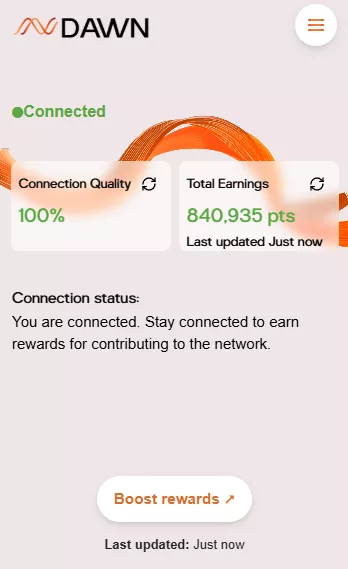
- Date joined: June 2025
- Device & browser: Desktop Chrome with Dawn Validator extension installed from the official Chrome Web Store listing.
- Referral used:
trkdob8wduring signup. - Initial tasks completed: Account creation, staying connected for the first 24 hours, social boosts (X, Discord, Telegram), and a test referral.
- Points observed: Base daily points for staying connected + 5,000 points each for following DAWN on X, joining Discord and joining Telegram through the official links in the dashboard/extension.
- Issues encountered: Some time i have faced extension issue, it takes time to reconnect.
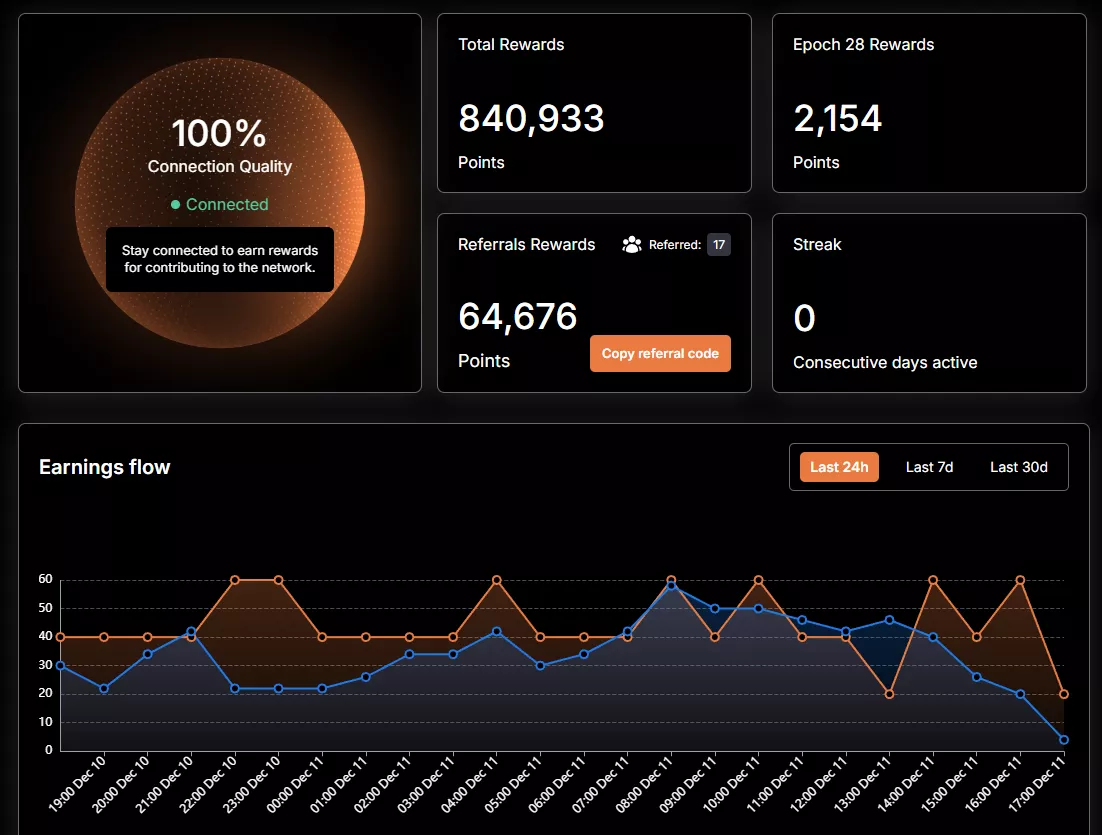
- Dashboard UX: Simple points counter plus sections for referral stats and Black Box boosts; token conversion details are still not disclosed.
Time vs Reward: Is DAWN Worth Your Time?
The core question: is running a Chrome extension and sharing a referral code like trkdob8w actually worth it?
On time cost, DAWN is attractive. Setup is roughly 10–15 minutes: install the extension, create an account, enter the referral, connect, and clear the main social quests. After that, the grind is mostly passive – keep your browser and internet connection active.
On the reward side, a few points matter most:
- Consistent points for uptime: You accumulate Dawn Points simply by staying connected with the extension on a stable connection. More uptime generally means more points.
- Stackable boosts: Following DAWN on X, joining Discord, and joining Telegram via the integrated links typically pay out around 5,000 points per platform as a one-time bonus.
- Referral leverage: Referrals can scale your earnings. Sharing your invite (for example, telling friends to use
trkdob8w) adds bonus points when they sign up and start validating with their own extension. - Hardware upside: When friends purchase a DAWN Black Box through your unique referral link, additional point rewards are credited to your account. Exact formulas are not public, so treat these as speculative boosters rather than guaranteed ROI.
Given the low monetary cost (bandwidth + electricity) and the strong DePIN narrative, our verdict is that DAWN is solid value for users who already keep a desktop online most of the day. For mobile-only or low-uptime users, the opportunity may feel more speculative until there’s clarity on tokenomics and point conversion.
Risks & Things to Watch
DAWN is still an early-stage, speculative play. You’re installing a browser extension that has persistent connectivity and network visibility, so you should only use the official Chrome Web Store listing and avoid any modified versions or scripts that claim to “boost” points. Token distribution, eligibility rules, and the final value of Dawn Points are not yet guaranteed; this is a points program, not a confirmed token farm. Keep your main wallets separate, periodically review your browser extensions, and monitor official DAWN channels for changes to the rewards system. Nothing here is financial advice – always do your own research.
Step-by-Step Guide: How to Join Dawn Internet
Ready to farm Dawn Points?
Sign up on the official DAWN dashboard, install the Validator Chrome Extension, and enter referral code trkdob8w during signup to support AirdropBuzz and potentially unlock extra rewards.
Join DAWN & Use Code trkdob8wDisclaimer: DAWN has not guaranteed any token airdrop or specific value for Dawn Points. This is not financial advice. Always verify URLs and only download the extension from the official Chrome Web Store listing.
FAQ: Dawn Internet Airdrop
Is there a confirmed DAWN token airdrop?
Not yet. DAWN currently runs a points program via the Validator Chrome Extension and Black Box ecosystem. A future token and the exact conversion rate from points to tokens have not been officially confirmed, so treat all points as speculative until tokenomics are published.
How do I earn Dawn Points with the extension?
You earn Dawn Points by installing the Dawn Validator Chrome Extension, staying connected so it can perform bandwidth checks, completing social quests (X, Discord, Telegram), and inviting friends via your referral code. Uptime, boosts, and referrals all stack into your total points.
Where do I use the referral code trkdob8w?
When creating your account on dashboard.dawninternet.com, look for the “Referral” or “Invitation code” field and enter trkdob8w. That’s where the code is applied to your account during onboarding.
Do I need a DAWN Black Box to participate?
No. You can participate with just the browser extension and still earn Dawn Points. The DAWN Black Box – a next-gen WiFi router and multi-DePIN miner – is an optional upgrade that can unlock additional earning routes and create higher-value referral opportunities when friends buy through your link.
Is the Dawn Validator Chrome Extension safe to use?
The extension is distributed through the Chrome Web Store and is described as a way to participate in Dawn’s proof-of-bandwidth validation. As with any browser extension, there is some trust and privacy trade-off. Only install from the official listing, avoid unverified automation scripts or modified versions, and consider using a dedicated browser profile if you’re security-conscious.
Direct link to official project page
Get curated airdrop updates
Weekly AirdropBuzz highlights, safety notes, and top picks-no spam.
Explore Airdrop Lists
Community Discussion & Rating
Leave a Comment & Rate
No comments yet. Be the first to share your thoughts!